TalkRemind app icon

You bought a dictation app.
But you're still typing?
Not anymore.

You wanted to dictate more. You set it up and meant to use it, then kept typing anyway. TalkRemind catches that moment and nudges you back, right where it costs you the most: AI prompts and long emails.

Free for 14 days, then €9.99 once. Launch offer: 50% off for the first 100 buyers.

Watch TalkRemind at work

A short demo, from the first typed sentence to the nudge.

With narration, so turn your sound on.

From typing to talking, in five steps

What TalkRemind does from the moment you install it.
01 / 05

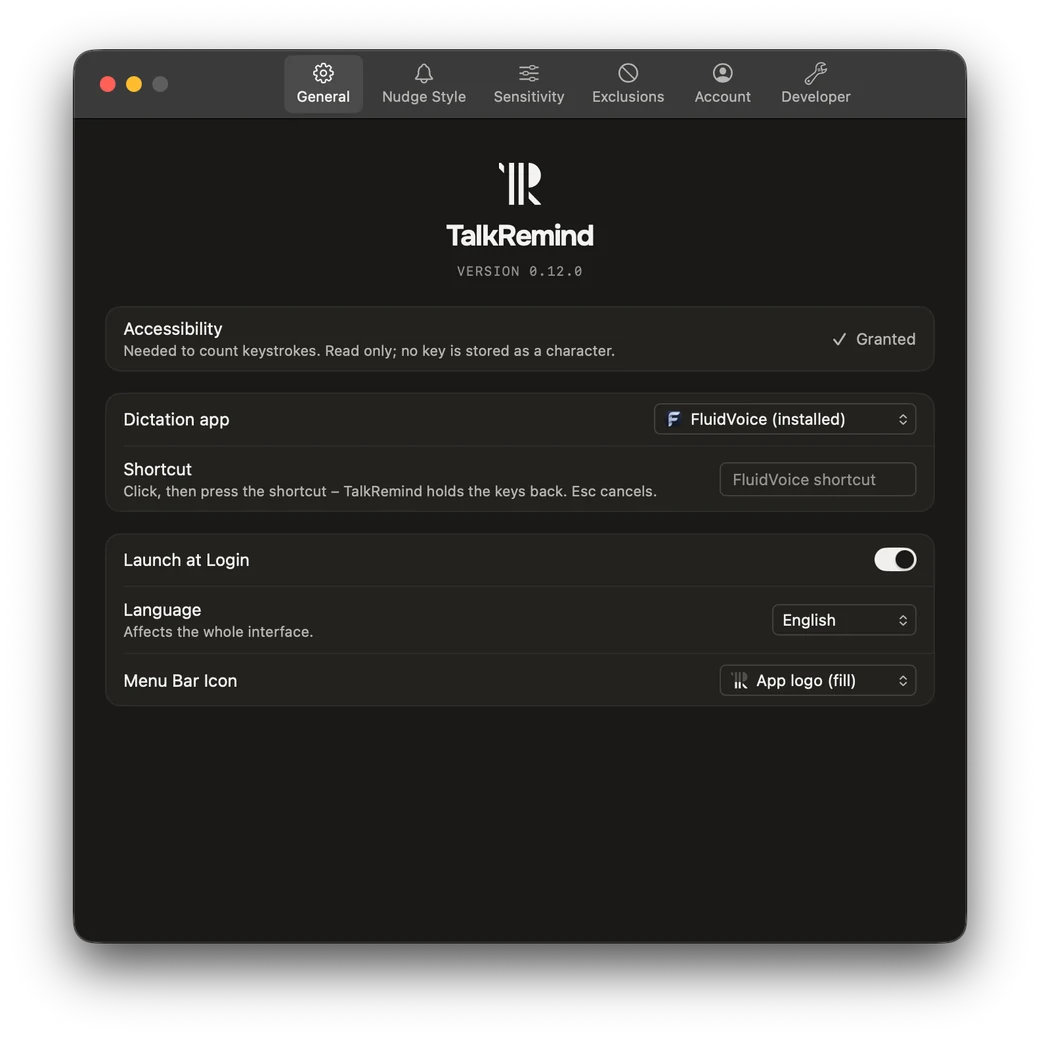
Your dictation app, your hotkey

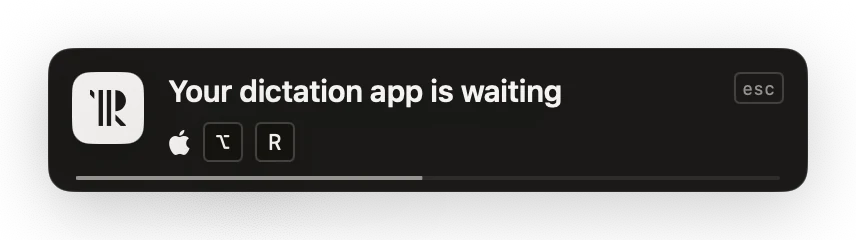
Pick it once. Every nudge shows its hotkey.

02 / 05

Type the way you always do

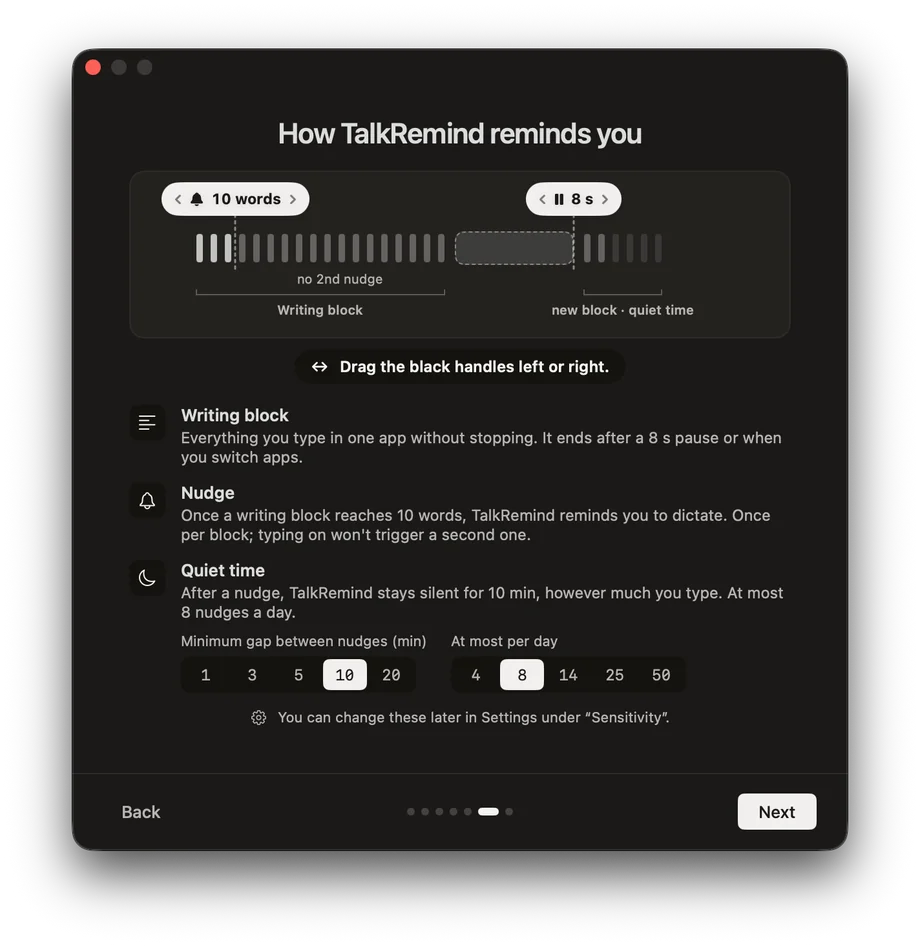
It counts keystroke rhythm per app, never words.

03 / 05

Get nudged when speaking would be faster

Past your threshold, a nudge names the hotkey.

04 / 05

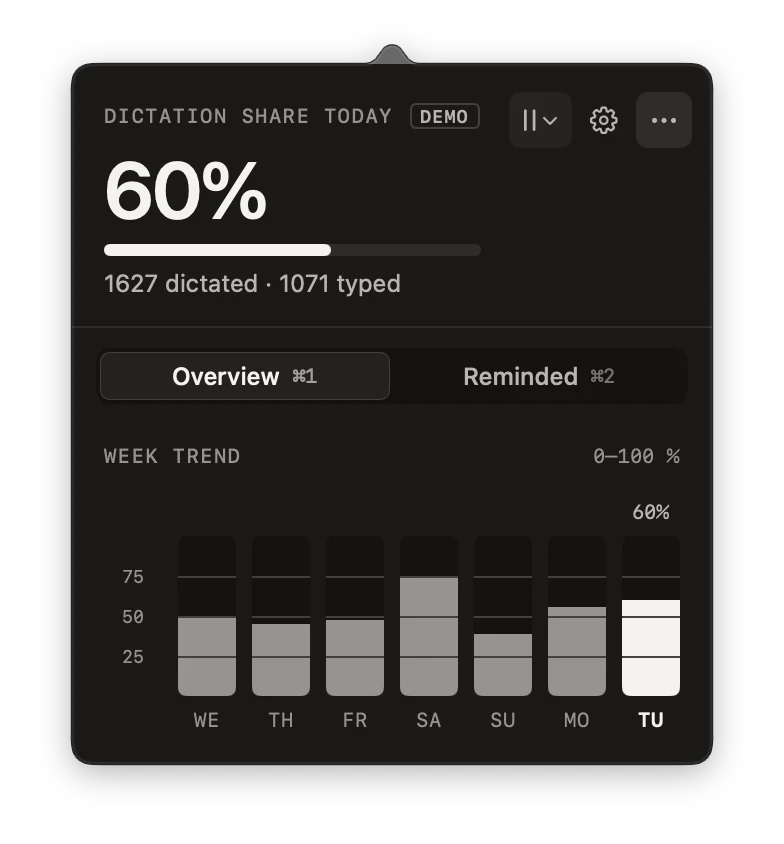
Watch the habit form

Today's share and a 7-day trend, one click away.

05 / 05

Quiet on your terms

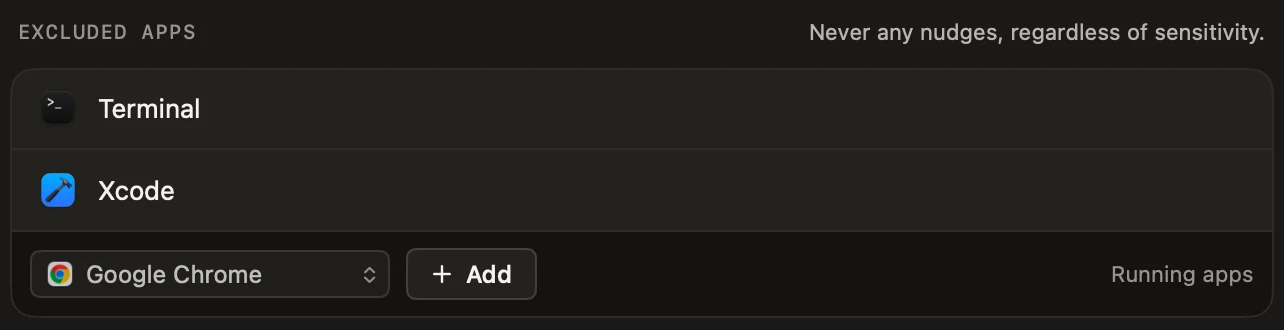
Exclude apps, set quiet hours, pause in one click.
Your dictation app promised 4×. Are you getting 4×?

These are the numbers the dictation apps put on their own front pages.

4×
Wispr Flow
“4x faster than typing” — 220 wpm spoken against a 45 wpm keyboard.
5×
Aqua Voice
“5x faster than typing and twice as accurate” — 230 wpm against 40 wpm.
5×
VoiceInk
“Reply to emails 5× faster. Chat with AI apps 5× faster.”

Those numbers are probably right — for the words you actually speak. A multiplier only applies to the share you dictate. Speak a fifth of what you write, and you collect a fifth of what you were sold. Raising that share is the only thing TalkRemind does.

Claims as published by each vendor on their own site, checked September 2026 — their assertions, not measurements of ours. The independent number is lower and still large: a Stanford study clocked speech at 2.93× faster than a keyboard (153 vs 52 wpm, English, mobile text entry).

It works with the one you already have

TalkRemind doesn't transcribe anything. It shows your dictation app's hotkey in the nudge. Seventeen are recognised automatically, the rest you enter once.

Wispr Flow
superwhisper
Aqua Voice
VoiceInk
MacWhisper
Apple Dictation
Lispr
Spokenly
Voibe
FluidVoice
Handy
Hex

Willow Voice
Voicy
BetterDictation
Dictato

Weesper

Your custom appBuilt your own? Works too.

Wrote your own dictation script? Any tool with a hotkey works — enter it once and TalkRemind shows it from then on.

It catches the habit slipping, not your typing

Dictation apps wait for a hotkey. TalkRemind remembers it's there, right as you're about to type past it.

The clearest case: AI prompts. In Claude or ChatGPT, formatting and typos don't matter. That's exactly where typing costs you the most time. If your prompts are typed, start there.

Four reminder styles

From a quietly changing menu-bar icon to a hint under your text cursor or a brief screen dim. Preview each one before you pick it.

Waits for your next pause

Optional: the reminder holds back until you stop typing for a moment, so it never cuts into a sentence. Or show it the instant the threshold is hit.

Learns your typing

A 24-hour calibration reads your actual typing and suggests a starting sensitivity. Four presets, from relaxed to strict, if you'd rather choose.

Stats that show the habit forming

Today's dictation share, a 7-day trend, and which apps you get reminded in most. A weekly summary arrives on its own.

Quiet where it should be

Exempt apps like your code editor or password manager, set quiet hours, or pause with one click when you need to. After five ignored reminders in one app, it offers to leave that app alone.

Your Macs, in sync

Optional iCloud sync keeps stats and settings the same on every Mac, through your private iCloud. Only numbers, times and app names travel, never text.

Choose how it interrupts you

Every style is a click away in Settings — pick when it appears, right away or at your next short pause.

Subtle

Only the menu-bar icon briefly changes.

Notable: a panel saying Your dictation app is waiting, with its hotkey and a countdown bar

Notable

A small panel appears for 3 seconds.

Recommended
Textfield: a small chip under the text cursor saying Time for the dictation app, with the hotkey

Textfield

A hint directly beneath your text cursor.

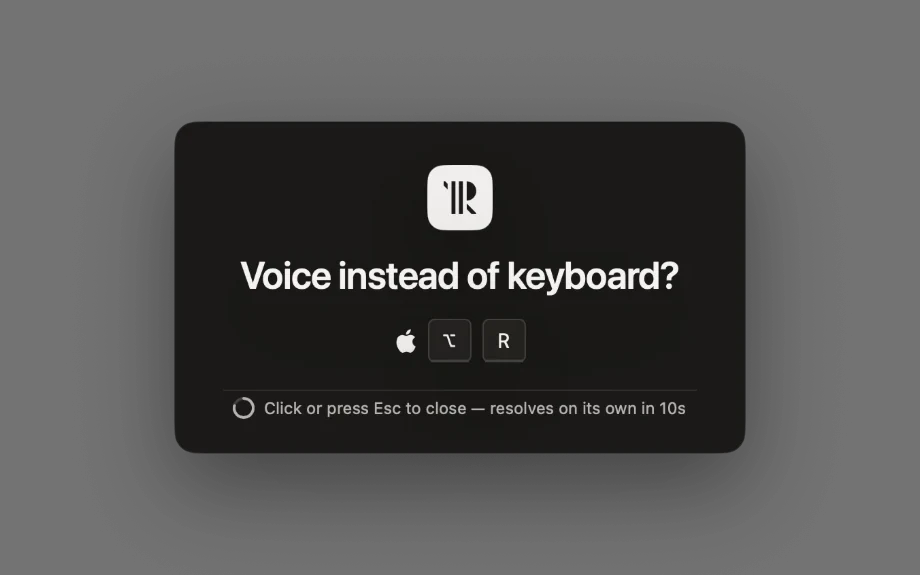
ScreenBlock: the screen dims behind a card asking Voice instead of keyboard?, closing itself after 10 seconds

ScreenBlock

The screen briefly dims — a reminder you'll actually notice.

The money bit

You already paid real money to dictate more. This makes sure that wasn't wasted.

Trial
Free for 14 days

Every reminder style and the full stats, unlocked. No account, no card.

Download the trial
License
€9.99 once

Launch offer: 50% off for the first 100 buyers across all three apps. After the trial, nudges stop. Your stats keep recording for free, so you can watch your dictation share as the nudges go quiet. Buying turns them back on, for good.

Buy a licence

Built and maintained in Austria. Questions before buying? Write to hello@didact.digital.

Questions

The ones that actually come up.

I already have a dictation app — why do I need this too?
Because owning it isn't the same as using it. Most people who buy a dictation app reach for it a fraction of the time they meant to, then fall back into typing out of habit. TalkRemind is the reminder that gets you to actually open it.
Does it read what I'm typing?
No. TalkRemind only observes keystroke timing through the macOS Accessibility API — when you type and how much, never the characters themselves.
What happens after the 14-day trial?
The nudges stop. Recording keeps running for free. Your dictation share and the 7-day trend stay visible, so you can watch the effect fade before deciding to buy.
Which dictation apps does it work with?
Seventeen are recognised on sight (full list above) and show their hotkey in the nudge automatically. Any other app with a hotkey works too — you enter its hotkey once and TalkRemind remembers it from then on. TalkRemind never transcribes anything itself — it only points you at the app that does.
How much time will this actually save me?
That depends on how much more you end up dictating — the app measures it instead of promising it. The short version is in “Your dictation app promised 4×” above: the speed-up only applies to what you actually speak. The stats screen shows your real share, so you can check it against your own week.
Can I turn it off for specific apps or times?
Yes. Exempt individual apps permanently, set a quiet-hours window, or pause everything for 30 minutes up to indefinitely, right from the menu bar.
Is my data sent anywhere?
No. Typing and dictation events stay on your Mac. The only network calls are license validation and update checks, plus a diagnostic report only if you send one — no analytics, no tracking.
Can I get a refund?
There's no refund promise, because the 14-day trial has every feature switched on. Use it properly before you pay. If something is genuinely broken or went wrong at checkout, write to hello@didact.digital and I'll look at it.
How do I get support?
I read hello@didact.digital myself and answer within two working days (Mon to Fri, Austria time). If I'm slower, I'll say so in my first reply. Lost your license key? It's in your receipt email. If that's gone too, write from the address you bought with. New Mac? Choose “Deactivate this Mac” in Preferences first, then activate the key on the new one. If a slot is stuck, write to me and I'll free it. Something is broken? Tell me what happened and which macOS version you're on. I can't promise a fix date, but I do promise an answer.